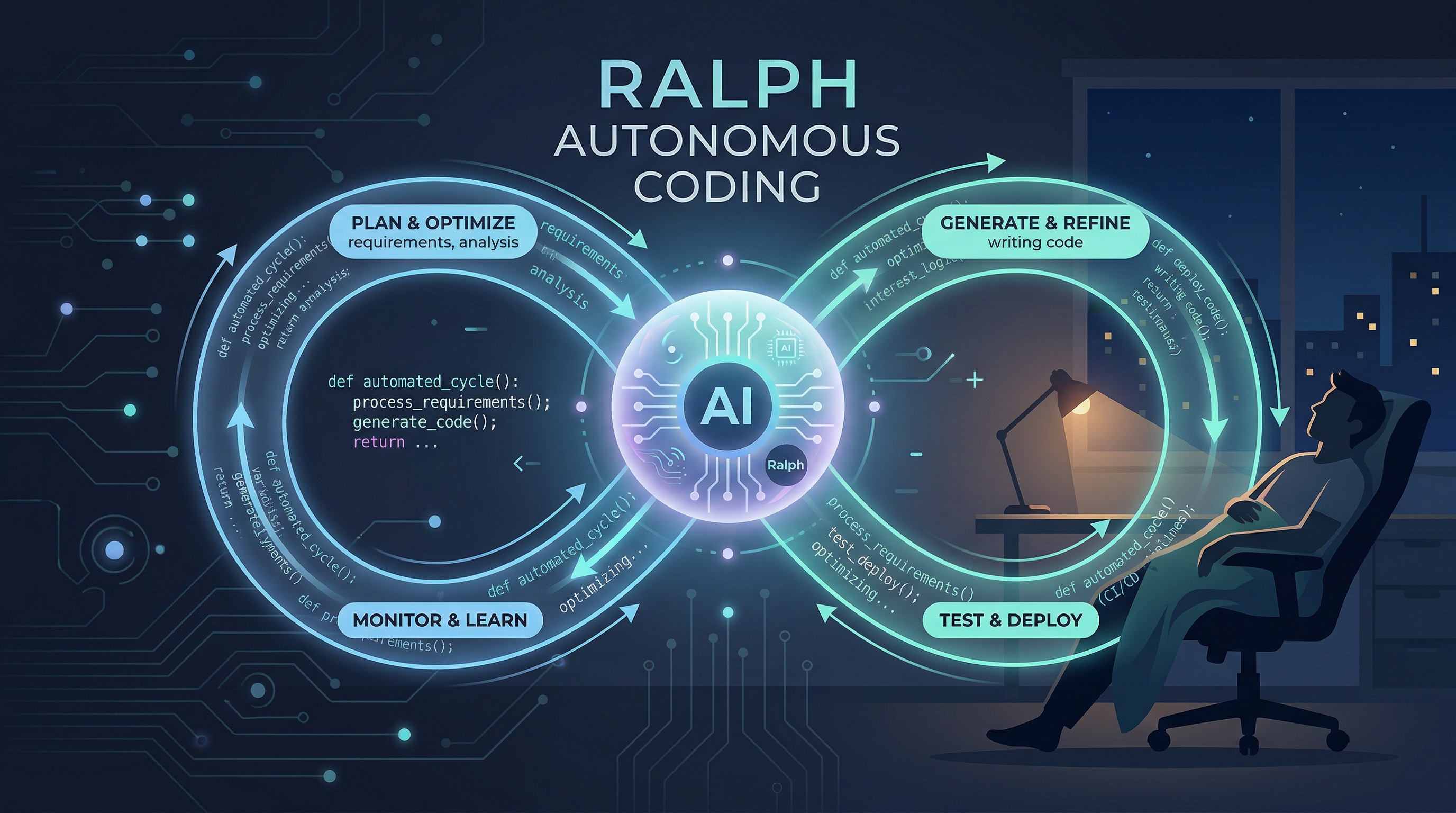
Ralph 全自动 AI 编码循环:运行与发版分步指南
Ryan Carson (@ryancarson) 的原帖
所有人都在热议 Ralph。它到底是什么? Ralph 是一个全自动的 AI 编码循环,能让你在睡觉时交付新功能。 它由 @GeoffreyHuntley 创建并在其原帖中发布,它会不断地循环运行 @AmpCode(或你选择的其他 Agent),直到所有的任务都被完成。
每次迭代都是一个全新的上下文窗口(保持对话线程简短干净)。记忆则通过 Git 历史记录和文本文件来持久化。
“我昨晚第一次运行它并发布了一个功能。我太喜欢它了。甚至还没上床睡觉就已经搞定了。令人印象深刻。今晚我打算在 Amp 里启动一个 Ralph 会话,看看它能不能在我睡觉时构建一个相当完整的功能。目前正在与 Amp 聊天来构建 PR,我们将用它来填充用户故事 (user stories) JSON。然后我会启动脚本,去睡觉。“
工作原理
(这里有一个完整的 GitHub 仓库 供你下载并尝试。)
这是一个 Bash 循环,它会:
- 将提示词 (prompt) 传输给你的 AI Agent
- Agent 从
prd.json中挑选下一个故事 (story) - Agent 实现该需求
- Agent 运行类型检查 (typecheck) 与测试
- 如果测试通过,Agent 会提交代码 (commit)
- Agent 将该故事标记为完成
- Agent 记录经验教训 (learnings)
- 循环重复,直到所有任务完成
记忆仅通过以下方式持久化:
- Git 提交 (Git commits)
progress.txt(经验教训)prd.json(任务状态)
文件结构
scripts/ralph/
├── ralph.sh
├── prompt.md
├── prd.json
└── progress.txt
ralph.sh
循环体:
#!/bin/bash
set -e

MAX_ITERATIONS=${1:-10}
SCRIPT_DIR="$(cd "$(dirname \
  "${BASH_SOURCE[0]}")" && pwd)"

echo "🚀 Starting Ralph"

for i in $(seq 1 $MAX_ITERATIONS); do
  echo "═══ Iteration $i ═══"

  OUTPUT=$(cat "$SCRIPT_DIR/prompt.md" \
    | amp --dangerously-allow-all 2>&1 \
    | tee /dev/stderr) || true

  if echo "$OUTPUT" | \
    grep -q "<promise>COMPLETE</promise>"
  then
    echo "✅ Done!"
    exit 0
  fi

  sleep 2
done

echo "⚠️ Max iterations reached"
exit 1
赋予执行权限:
chmod +x scripts/ralph/ralph.sh使用其他 Agent:
Claude Code: claude --dangerously-skip-permissions
prompt.md
每次迭代的指令:
# Ralph Agent Instructions

## Your Task

1. Read `scripts/ralph/prd.json`
2. Read `scripts/ralph/progress.txt`
   (check Codebase Patterns first)
3. Check you're on the correct branch
4. Pick highest priority story
   where `passes: false`
5. Implement that ONE story
6. Run typecheck and tests
7. Update AGENTS.md files with learnings
8. Commit: `feat: [ID] - [Title]`
9. Update prd.json: `passes: true`
10. Append learnings to progress.txt

## Progress Format

APPEND to progress.txt:

## [Date] - [Story ID]
- What was implemented
- Files changed
- **Learnings:**
  - Patterns discovered
  - Gotchas encountered
---

## Codebase Patterns

Add reusable patterns to the TOP
of progress.txt:

## Codebase Patterns
- Migrations: Use IF NOT EXISTS
- React: useRef<Timeout | null>(null)

## Stop Condition

If ALL stories pass, reply:
<promise>COMPLETE</promise>

Otherwise end normally.
prd.json
你的任务列表:
{
  "branchName": "ralph/feature",
  "userStories": [
    {
      "id": "US-001",
      "title": "Add login form",
      "acceptanceCriteria": [
        "Email/password fields",
        "Validates email format",
        "typecheck passes"
      ],
      "priority": 1,
      "passes": false,
      "notes": ""
    }
  ]
}
关键字段:
branchName— 要使用的分支priority— 优先级(数字越小越先执行)passes— 任务完成时设为 true
progress.txt
初始上下文:
# Ralph Progress Log
Started: 2024-01-15

## Codebase Patterns
- Migrations: IF NOT EXISTS
- Types: Export from actions.ts

## Key Files
- db/schema.ts
- app/auth/actions.ts
---
Ralph 会在完成每个故事后追加内容。各种模式(Patterns)会在多次迭代中不断积累。
运行 Ralph
./scripts/ralph/ralph.sh 25运行最多 25 次迭代。Ralph 将会:
- 创建特性分支
- 逐一完成用户故事
- 每次完成后提交代码
- 当所有任务通过测试时停止
关键成功因素
1. 拆分小故事 (Small Stories)
必须能容纳在一个上下文窗口内。
- ❌ 太大: “构建整个认证系统”
- ✅ 尺寸合适: “添加登录表单”、“添加邮箱验证”、“添加 auth server action”
2. 反馈循环 (Feedback Loops)
Ralph 需要快速的反馈:
npm run typechecknpm test
如果没有这些,错误代码就会不断累积。
3. 明确的验收标准 (Explicit Criteria)
- ❌ 模糊: “用户可以登录”
- ✅ 明确:
- 邮箱/密码字段
- 验证邮箱格式
- 登录失败时显示错误
- typecheck 通过
- 在 localhost:$PORT/login 进行验证(PORT 默认 3000)
4. 经验教训的积累 (Learnings Compound)
到了第 10 个故事时,Ralph 已经掌握了前 9 个故事的模式。经验教训保存在两个地方:
progress.txt— 用于 Ralph 迭代的会话级记忆AGENTS.md— 面向人类和未来 Agent 的永久文档
在提交之前,如果 Ralph 发现了可复用的模式(如坑、约定、依赖),它会更新被编辑文件所在目录下的 AGENTS.md 文件。
5. AGENTS.md 更新
当 Ralph 学到值得保留的内容时,它会更新 AGENTS.md:
- ✅ 好的补充:
- “修改 X 时,也要更新 Y”
- “这个模块使用了 Z 模式”
- “测试需要运行开发服务器”
- ❌ 不要添加:
- 特定于某个故事的细节
- 临时笔记
progress.txt中已有的信息
6. 浏览器测试
对于 UI 更改,请使用 @sawyerhood 开发的 dev-browser 技能。通过 Load the dev-browser skill 加载它,然后:
# 启动浏览器服务器
~/.config/amp/skills/dev-browser/server.sh &
# 等待 "Ready" 消息

# 使用 heredoc 编写测试脚本
cd ~/.config/amp/skills/dev-browser && npx tsx <<'EOF'
import { connect, waitForPageLoad } from "@/client.js";

const client = await connect();
const page = await client.page("test");
await page.setViewportSize({ width: 1280, height: 900 });
const port = process.env.PORT || "3000";
await page.goto(`http://localhost:${port}/your-page`);
await waitForPageLoad(page);
await page.screenshot({ path: "tmp/screenshot.png" });
await client.disconnect();
EOF
直到通过屏幕截图验证才算完全搞定。
常见踩坑点 (Common Gotchas)
幂等迁移:
ADD COLUMN IF NOT EXISTS email TEXT;交互式提示:
echo -e "\n\n\n" | npm run db:generateSchema 变更: 编辑 schema 后,检查:
- Server actions
- UI components
- API routes
修复相关文件是允许的: 如果 typecheck 要求进行其他代码更改,那就去做。这不算是需求蔓延 (scope creep)。
监控
# 故事状态
cat scripts/ralph/prd.json | \
jq '.userStories[] | {id, passes}'

# 经验教训
cat scripts/ralph/progress.txt

# 代码提交记录
git log --oneline -10
真实成果
我们构建了一个评估系统:
- 13 个用户故事
- ~15 次迭代
- 每次迭代 2-5 分钟
- 总耗时约 1 小时
经验在不断积累。到了第 10 个故事时,Ralph 就已经完全了解了我们的开发模式。
什么时候【不】适合使用
- 探索性工作
- 没有明确标准的重大重构
- 安全关键型代码
- 任何需要人工仔细审查的内容